Capture, tag, and organize your favorite video moments with a single keystroke. Build your personal knowledge archive from the world's largest classroom.

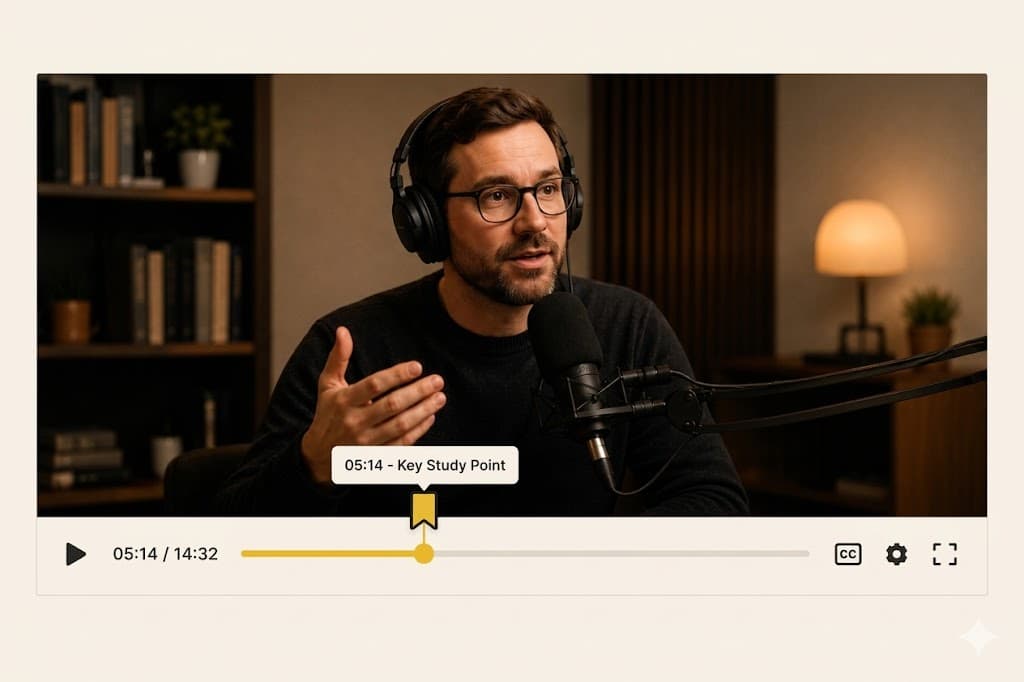
The shortcut is global. Whenever you hear something worth saving, hit 'B' to instantly capture the timestamp.
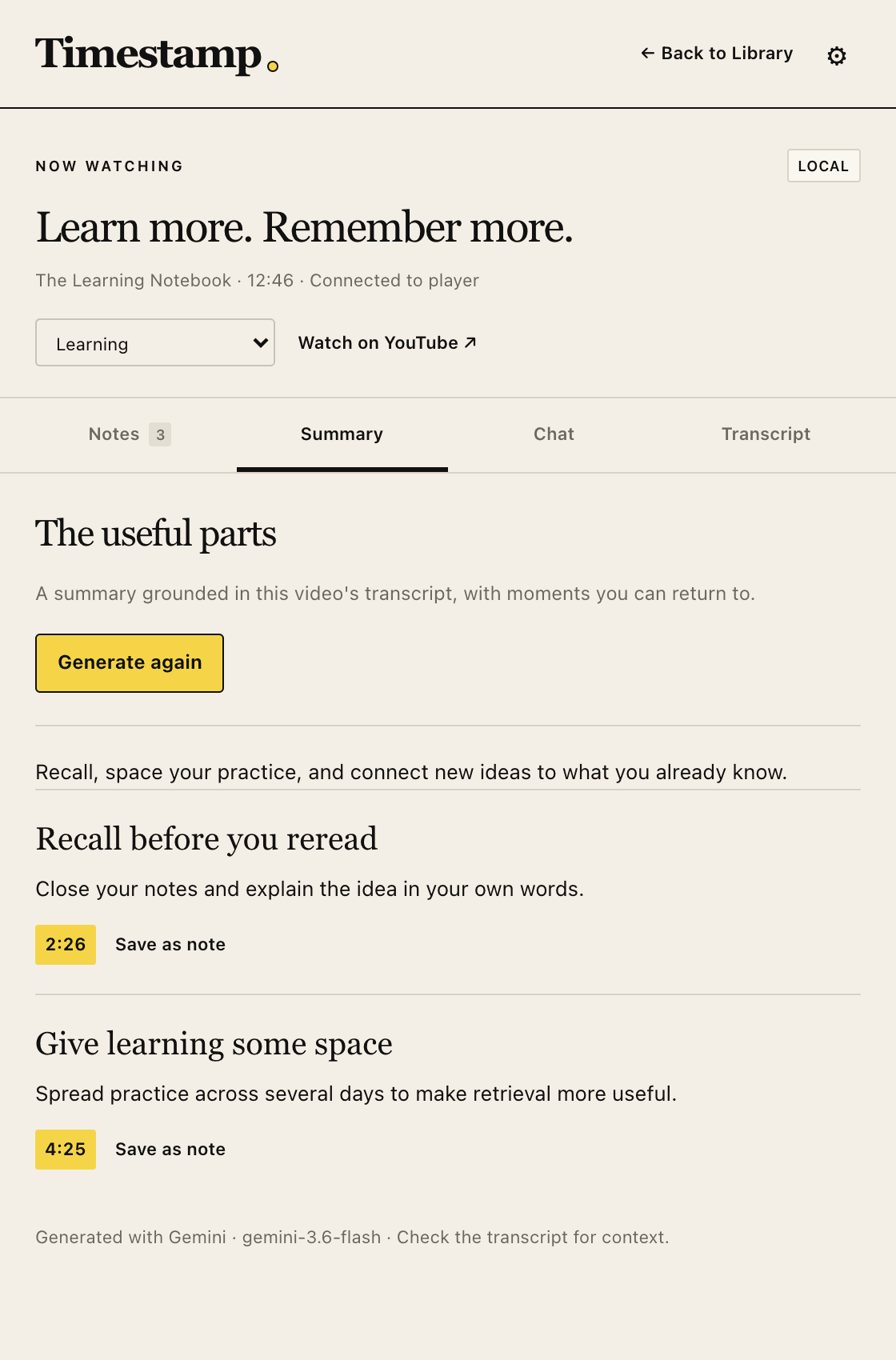
A minimal popup appears. Jot down why it matters, add some tags, and save it to your cloud library.
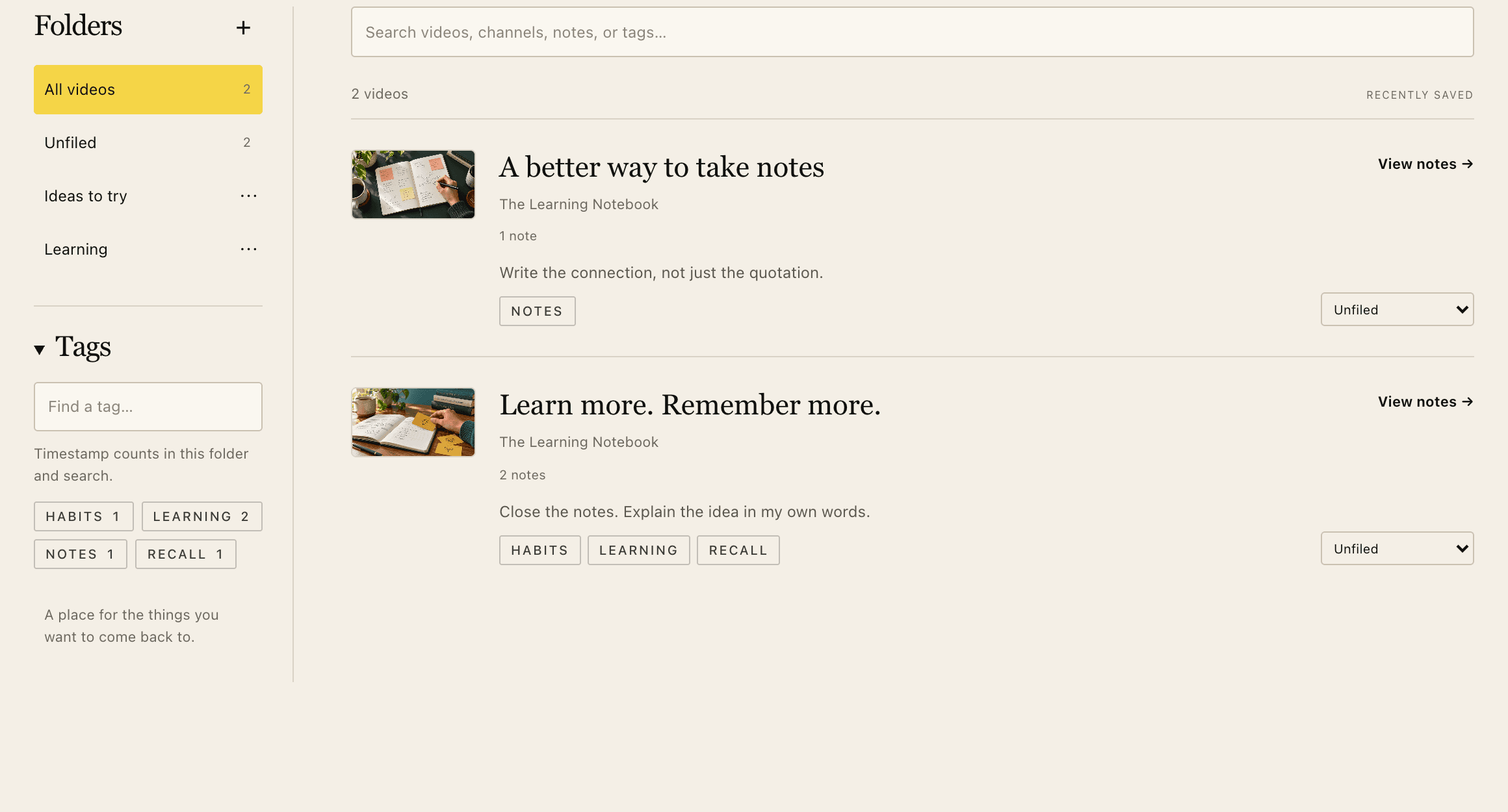
Access your clips from our dashboard. One click takes you exactly to that moment in the original video.
Precise-to-the-second bookmarks that remember exactly where you left off.
Standardize your knowledge with powerful metadata and rich-text notations.
See your saved moments visually represented across the YouTube progress bar.
Filter through thousands of clips across all videos in milliseconds.
Your library is accessible from any device, anytime, with automatic backups.
Search by concept, not just keywords. "That part about quantum gravity."
“Not just bookmarks — everything you learn from YouTube, captured and searchable in one place.”
We are building the definitive tool for digital scholars and lifelong learners. Turning passive consumption into active knowledge construction.
“YouTube Timestamp changed how I study. I no longer waste hours scrolling through long lectures looking for that one three-minute explanation.”
— DR. SARAH CHEN, NEUROSCIENTIST“The perfect companion for documentary research. It feels like a physical ticket archive for the digital age. Simply brilliant.”
— MARCUS THAW, FILM HISTORIANOnce installed, YouTube Timestamp overlays a small button on the YouTube player and activates a global hotkey (B). Pressing either will save the current timestamp to your dashboard.
Yes. We only store the video ID, timestamp, and your personal notes. We do not track your browsing history or sell your data to third parties.
Pro users can export their library to Markdown, Notion, or Obsidian with full formatting preserved.
Currently, the clipper is only available for desktop Chrome. However, you can view and search your archive on any mobile browser.
NO CREDIT CARD REQUIRED · INSTANT SETUP