LOG IN
CHROME EXTENSION · DESKTOP

The clipper that lives on YouTube.

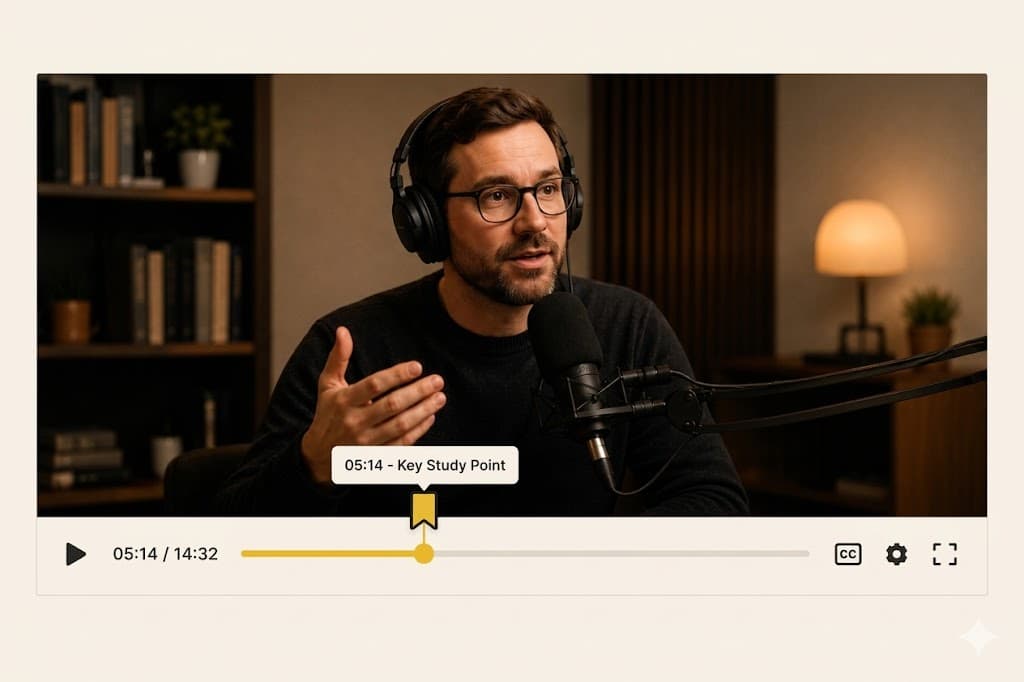
Press B or the bookmark on the player. YouTube Timestamp saves that exact second with a note and tags — on this device, or in your cloud archive when you sign in.

YouTube Timestamp extension mockup with vintage cinema ticket aesthetic
01

Press B, or click the bookmark.

The hotkey works on any YouTube video. A small control on the player does the same thing: save the second you are on.

02

Stay local, or sync to the cloud.

Signed-out saves stay on this Chrome profile, unlimited. Sign in and Free includes 100 cloud timestamps. Local saving is never capped.

03

Find it later.

Notes and tags make the archive searchable. Clip on desktop Chrome; open the dashboard from a phone browser.

LOCAL VS CLOUD

Unlimited on this device. Cloud when you want it.

Free is unlimited local saving plus 100 cloud timestamps when you sign in. Pro is $49/year founding — details live on the homepage.

Add the extension first. Sign in later if you want the same archive on another browser.

Add it to Chrome in a minute.

ADD YOUTUBE TIMESTAMP TO CHROME — IT'S FREE

NO CREDIT CARD REQUIRED · INSTANT SETUP